
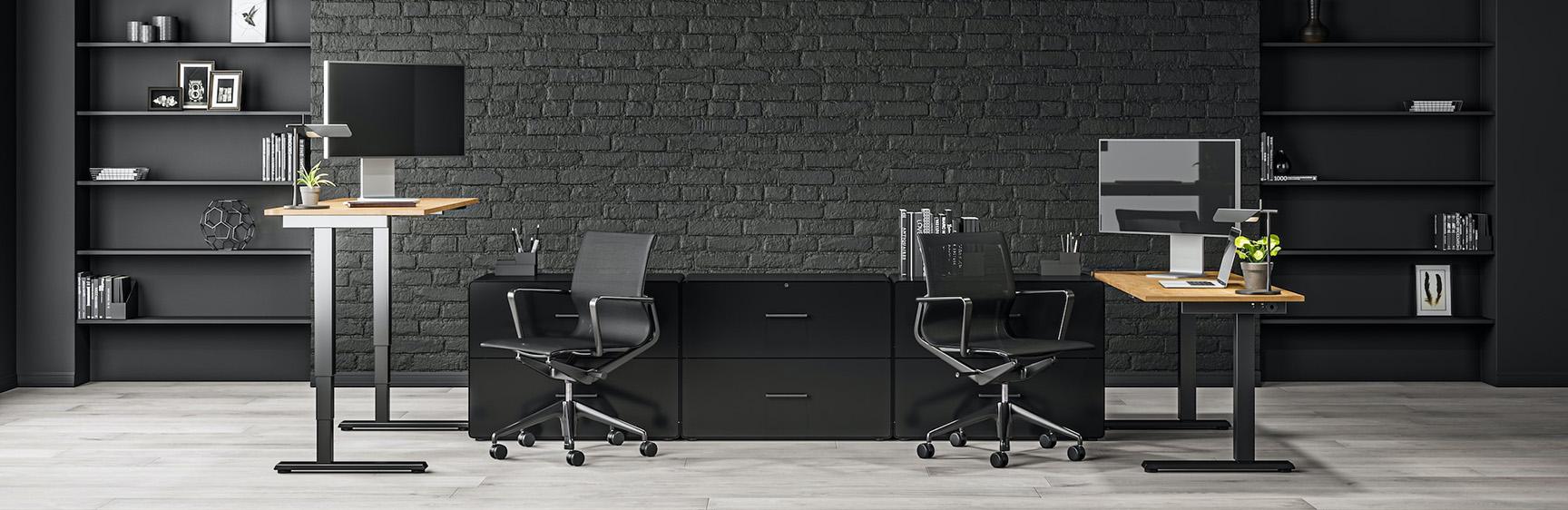
Today's workforce is more productive than ever, thanks in no small part to the democratization of digital tools. But while these advances have enabled employees to get their work done faster and more easily, they've also created a new set of challenges. Knowledge workers spend more time hunched over their desks instead of interacting with other people. In fact, even tasks as simple as typing on a keyboard or clicking a mouse place demands on our bodies for which they were not originally designed. The result is an epidemic of repetitive strain injuries, such as carpal tunnel syndrome and tendonitis, caused not only by sitting in front of a computer all day, but also by working at it for many hours every week. The solution? Rethink thelayout of our offices throughworkspace ergonomics.
What is workspace ergonomics?
Creating a workspace tailored to individual needs means bringing together conditions that promote optimum performance and well-being. This includes topics such as temperature, lighting, noise levels and furniture. Of course, you've got the basics right when it comes to equipping your business premises with a desk and chair. But what about other aspects, such as the physical comfort of a workspace? Given the increase in musculoskeletal disorders, repetitive pain and eye strain to which many office workers are exposed today, it seems essential to find solutions to improve working conditions. It was from this realization that the concept ofergonomics was born. It's a science whose aim is to create a working environment that's comfortable and not hard on our bodies, so as to preserve everyone's health. Here are our tips for improving the ergonomics of your workspaces.
Think ergonomics when designing your workspaces
First and foremost, it's important to think about the layout of the workspace as a whole. Most offices are designed in a standardized way, which often leaves little room for profound improvements in the organization of this space. On the other hand, designing ergonomic business premises from the outset means a more sustainable layout, since you'll already have met your employees' needs. This means selecting furniture that is comfortable and adapted to the user's morphology, as well as a layout appropriate to the company's sector of activity.
You also need to check that the room has sufficient natural light. If you don't have windows all around, you may need to supplement this with artificial light sources such as lamps or spotlights. Remember, too, to separate potentially noisy spaces from areas where people need to concentrate.Exposure to noise has been recognized as a nuisance, not only for the well-being of employees but also for productivity.
Choose ergonomic office chairs for good posture
To improve workspace ergonomics, start by positioning desks so that your employees can work comfortably. If they spend most of their time in front of the computer, it's a good idea to check that the keyboard and mouse are at the same level as their elbows, by selecting height-adjustable chairs, so that everyone can configure them according to their height. Make sure your back is always supported. To achieve this, place a chair at a 135-degree angle, with armrests and soft padding.
Choose sit-stand desks
There are ergonomic furniture and objects that you can use in your workspace to make it more comfortable. One example is the sit-stand desk, increasingly popular with coworkers and teleworkers. This type of desk is ideal for those who need to move around more during the day. Indeed, problems of drowsiness or lethargic states at work are often attributable to a lack of movement or exercise. Sit-stand desks will help you to combat this problem by offering your staff the possibility of changing position and movement.
Get ergonomic keyboards and mice
Ergonomic computer keyboards and mice are just some of the items that make a significant contribution to improving comfort in the workplace. Indeed, most keyboards are straight-shaped, forcing users to bend their hands and wrists slightly. Over time, this awkward position can lead to tension in the body and pathologies such as tendonitis. An ergonomic computer keyboard corrects this problem thanks to its arched shape, which more closely resembles the natural position of the wrists. Similarly, an ergonomic mouse is designed to be vertical, to better fit the shape of the hands. You can also add ergonomic mouse pads, which feature a small cushion on which the user can rest his or her wrist.
Add a screen extension to reduce eyestrain
Improving the ergonomics of workspaces also involves reducing eyestrain. One of the best ways to do this is toinstall a screen extension. A screen extender is software that enlarges the size of text on your computer screen, making reading easier and more comfortable. Unlike magnifiers, which enlarge everything on your screen regardless of what you're trying to read, a screen extension only enlarges text and images. Screen extenders are available for Mac and PC computers, as well as tablets and smartphones.
Encourage your employees to exercise during the day
Doctors often remind us that physical exercise is the best way to maintain good health and prevent certain pathologies. So, if your company's activity is based mainly on office work, it may be worth encouraging your employees to take regular breaks to stretch their legs. If your premises are large enough, don't hesitate to dedicate an entire area to physical exercise. If the space is rather limited, you can always buy a few accessories to help your employees relax their muscles, such as swiss balls or small weights.